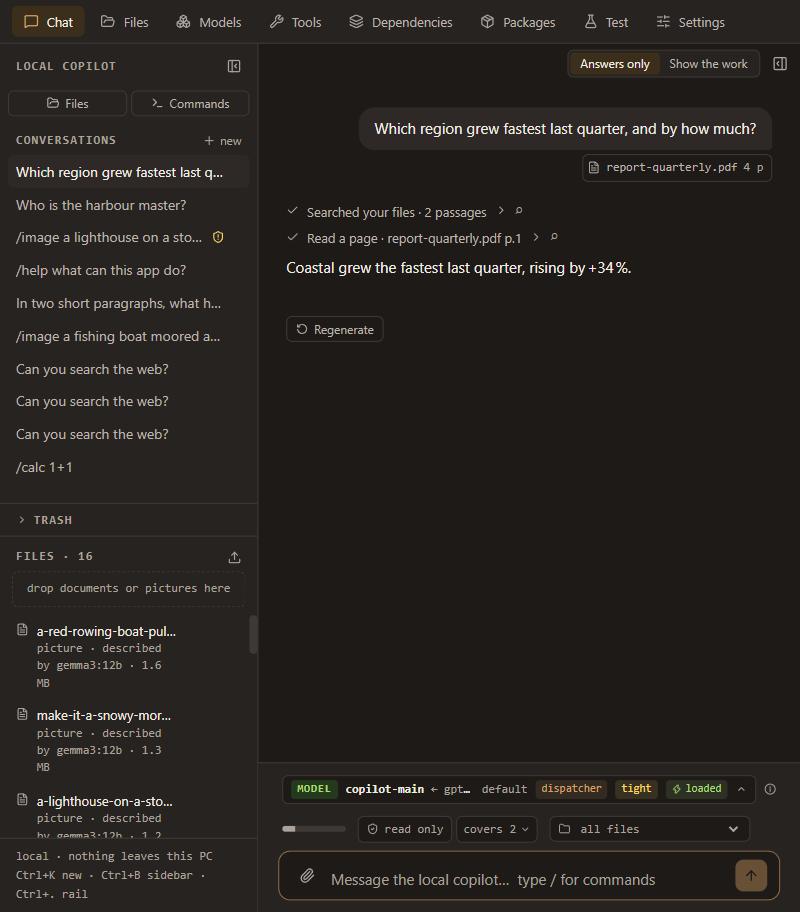
Ask your documents
Attach a PDF and ask. It reads the page or section it needs, on this computer, and the answer says which page it read.
Chat with a model, ask questions about your own documents, search the web privately, make images, let it read web pages for you — all on your own computer. It never sends anything anywhere on its own.
Questions, bugs, ideas, or just to say what it ran on and how fast. The people building it are there.
Attach a PDF and ask. It reads the page or section it needs, on this computer, and the answer says which page it read.
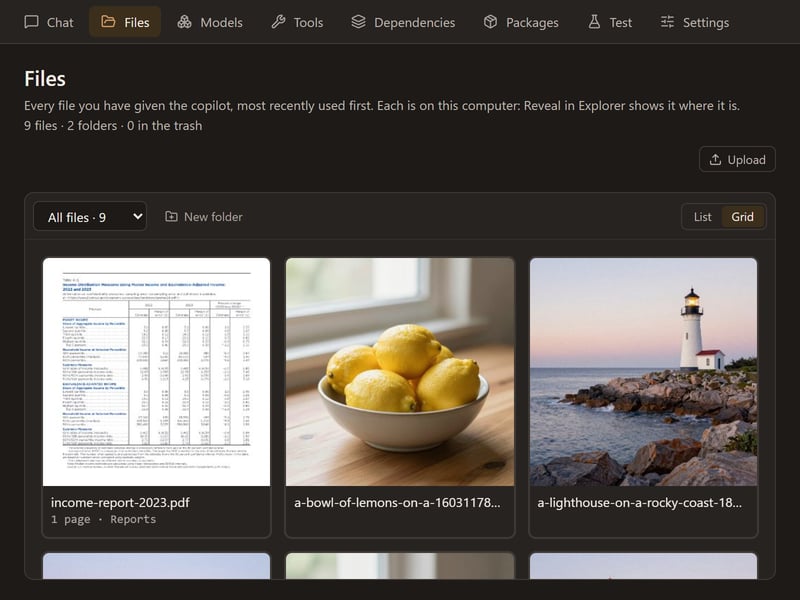
Everything you gave it stays on this computer, in folders. A PDF shows its first page; a scanned page is read by the vision model, so it can be searched too.
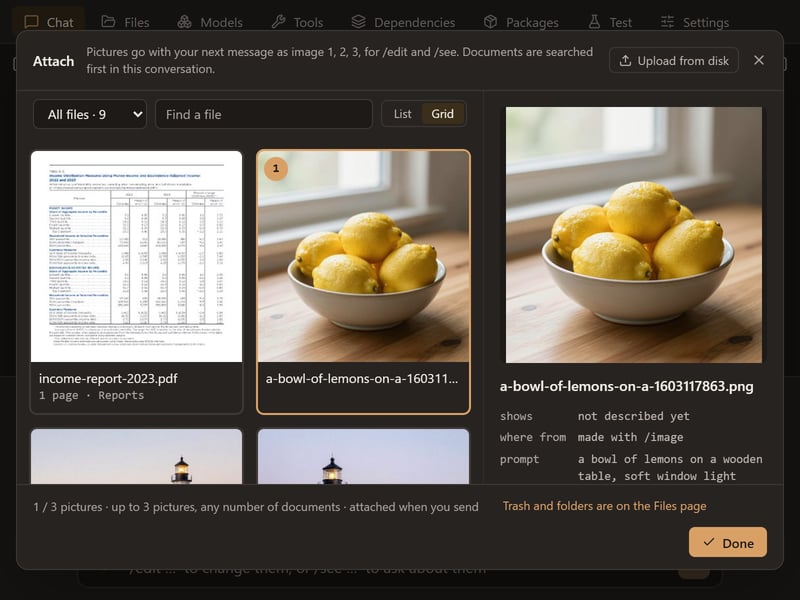
A picture keeps its recipe - prompt, seed, size and model - so you can edit it or make another. Optional: one click installs the picture engine and its models, about 13 GB to make pictures and another 29 GB to edit them.
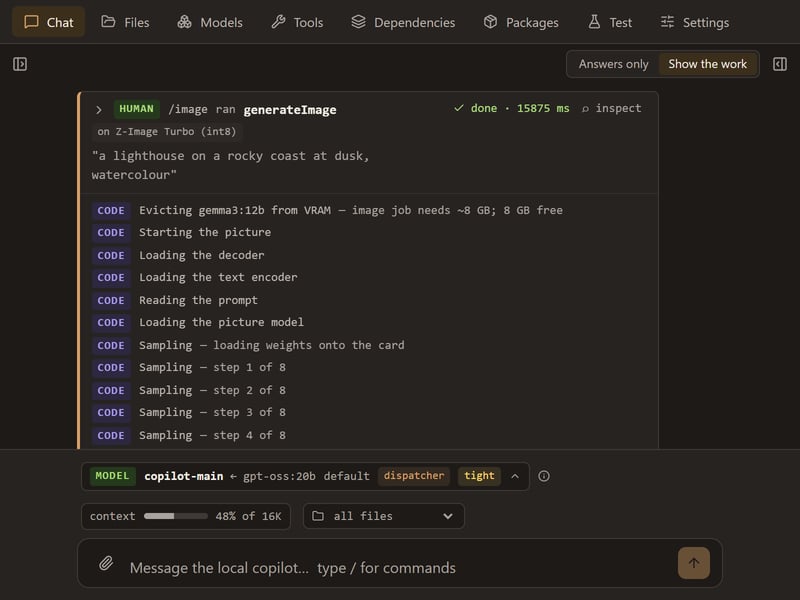
Every step as it happens, in words: which tool ran, what it read, each stage of a picture. Or switch to Answers only for just the replies.
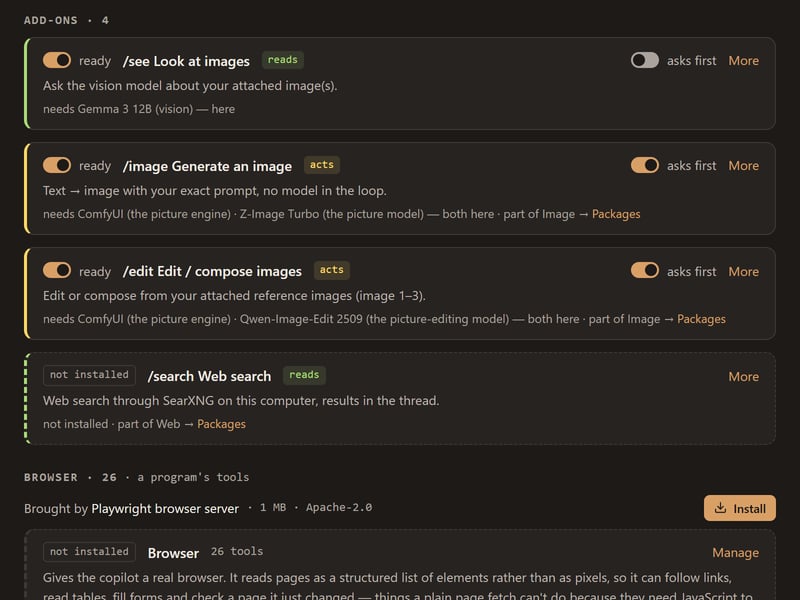
What it needs, whether it is ready, and whether it asks before it acts. A tool that changes something outside the app asks you first, in the conversation.
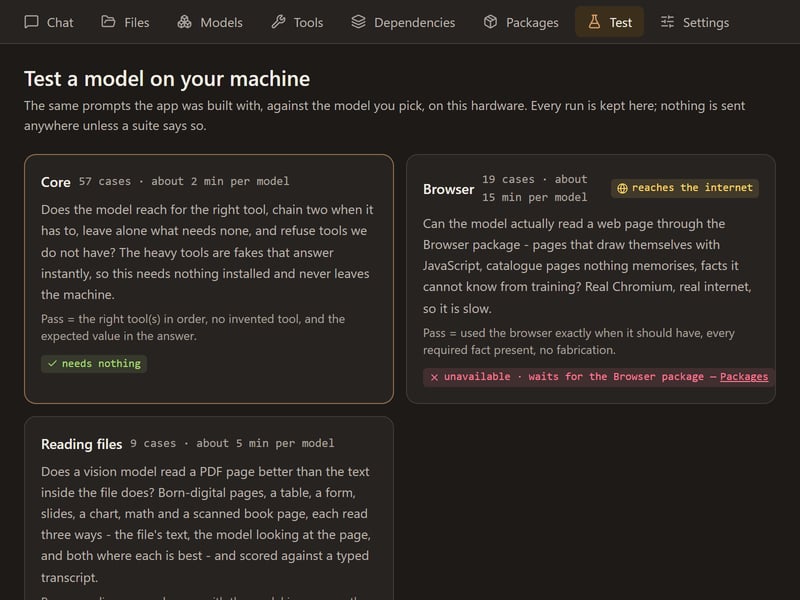
Every tool ships with what it scored - on which model, on what date - and the tests are included, so you can rerun them on your own hardware instead of taking our word for it.
A capable model running on your own machine. On first run it picks one that fits your hardware and tells you why; you can download others from the Models page.
Search the web from the chat without a search engine watching. Switch it on and the app installs its own search engine, about 40 MB; nothing else to set up.
It can open a real web page and read it to answer you. It only clicks or types when you allow it, in the conversation.
The engine that runs models is 1.4 GB on Windows, and the model it chooses for you is between 1.4 and 13 GB depending on what your machine can hold — it names the size on screen before it starts. Measured end to end on a clean Windows 11 machine with no graphics card: installer to chat in 6m 04s, about 3 GB downloaded. Afterwards it starts in seconds.
No card is required — it was tested on a machine with none. But the card is what makes it quick, and it decides how large a model you get: more video memory means a larger, more capable model; with none, it uses a small one on the processor. It tells you which it chose and why, and the Models page will install any of the others.
The Windows installer has been run from scratch on a clean machine. The
macOS and Linux downloads are the same application built for those
systems; they exist and they are expected to work, and nobody has yet
installed one on a clean machine and said so — that is what
early means above. macOS comes in two builds — Apple Silicon
(2020 and later) and Intel; Apple menu → About This Mac says which you
have, and the wrong one refuses to open rather than running badly.
Linux is an AppImage; a .deb is on the release page too.
If one of them doesn't work for you, the release page is the place to
say so.
Everything above is free and stays free. Premium is where paid features will live, and there are none yet — when there are, they will be named here first.
$— once
One key, yours for good, on any of your machines. Whatever is added to Premium later, a key bought today unlocks it too.
Purchases are sold through Link, Stripe's merchant of record, and your receipt comes from Link. Buyers in Ascension Island, China, Cuba, Iran, Kosovo, North Korea, Russia, Syria and Tristan da Cunha cannot buy.
With a key installed, the app asks our server at most once a week whether the key has been refunded, sending the key's fingerprint and nothing else — no conversation, no hardware, no usage. If the server can't be reached, nothing changes for a month. Without a key, the app never contacts our server at all.